

Granular synthesis is a sound-design technique that slices audio into tiny fragments called grains, usually 1 to 100 milliseconds long, and lets you control each grain’s pitch, length, density and position on its own. That is the whole idea in one sentence: instead of one continuous wave, you get a cloud of particles you can reshape.
Most producers only know one result of this: long, glassy, slowly evolving pads and vocal stretches that hang in the air like fog. That sound is real and genuinely beautiful, but it is a small corner of what granular synthesis actually does. This post covers what it is really for, the problems it solves better than any other technique, and the two very different ways you will meet it in a plugin folder.
What Granular Synthesis Actually Is
Granular synthesis works at a scale beneath the note. Audio gets chopped into grains, and each grain is shaped with a short envelope (a fade-in and fade-out window) so it does not click when it starts and stops. Pitch, grain length, density, spatial position and playback order then become parameters you can move independently of each other.
Grain size and density set the character before anything else does. Grains under about 20 milliseconds sound clicky and almost percussive, because they are too short to carry a clear pitch. Grains above 50-60 milliseconds start to sound like short loops instead of grains. Density works the same way: a few grains per second let you hear each one as a separate event, while hundreds per second blur into a thick, continuous cloud.
The technique is older than most people realize. Physicist Dennis Gabor proposed sound quanta in 1947. Iannis Xenakis built granular compositions by splicing magnetic tape in 1959. Curtis Roads implemented the first computer-based granular synthesis in 1974 and later wrote Microsound (2001), still the definitive text. None of this is a trend: it predates the synth presets you grew up with, only recently affordable and CPU-cheap enough to live inside any session.
The Two Worlds: Granular Instruments vs Granular FX
Here is the distinction most articles skip, and skipping it is exactly why people end up with the wrong tool for the job.
A granular instrument is a synthesizer. You load a sample (a field recording, a vocal phrase, a piano hit, anything), and the plugin uses it as raw material to generate new notes when you play a MIDI keyboard. The sample is the oscillator.
A granular FX sits on a channel as an insert effect instead. There is no MIDI and no sample to load. It grabs whatever audio is already flowing through the channel (a vocal take, a guitar DI, a drum bus) and granulates it in real time, blending the processed grains back with the dry signal.
The difference changes everything about workflow and intent. A granular instrument is for building sounds: you design a patch and play notes. A granular FX is for transforming sounds that already exist in your arrangement: the vocal is already recorded, and you are trying to make it do something it could not do on its own.
Most professional sessions need both. Reaching for an instrument when you need an effect, or the other way around, is how producers end up convinced granular just is not for them.
What Granular Solves That Nothing Else Can
Forget the ambient cliche for a moment. Here is what granular does that other tools cannot.
Time and pitch as independent variables. Almost every modern time-stretching algorithm in your DAW is granular under the hood. Slow a vocal down by 200% without changing its pitch, and you are using granular processing, whether you know it or not.
Rhythmic motion from sustained material. A held vocal note, a long pad chord, a sustained drone, none of these have rhythm on their own. Granular FX can impose pulses, stutters and tempo-synced grids onto that static source, an application most beginner tutorials skip entirely.
Harmonic stacking from a monophonic source. Granular engines can detune individual grains to musical intervals or octaves, generating harmonies that keep the timbre of the source while creating polyphony where none existed.
Texture without sample library bloat. Field recordings, breaths, room tone and mechanical noise can all become musical material. A granulated footstep can become a 30-second evolving pad without adding a single new sample to your library.
Reverb that responds to source content. Traditional reverb is essentially memoryless. Granular processing creates spaces that inherit the harmonic content of the source, producing tails that sound related to the input in a way even a good convolution verb cannot match.
On The Instrument Side: What To Actually Buy
If you want a granular synthesizer to play notes with, the field is strong right now.
Audio Damage Quanta 2 is one of the most rigorously implemented dedicated granular synths on the market, with position and scatter controls front and center rather than buried in a menu, and CLAP support alongside the usual formats.
Tracktion (Dawesome) Novum splits a sample into up to 6 independent layers, each with its own timbre, filter, envelope and modulation, and lets you cross-synthesize between them. It costs more and takes longer to learn, but for sound design and scoring it can do things nothing else here can.
Arturia Pigments has a granular engine as one of several synthesis engines alongside wavetable, virtual analog and sample playback. It is not the deepest granular implementation on this list, but the integration is convenient if you also want a do-everything synth.
These are instruments. None of them will help you process the vocal on track 14.
On The FX Side: The Quiet Revolution
The granular FX category is where the most interesting work is happening right now, and where producers tend to be under-equipped. Most people own a granular instrument or two. Fewer have a granular effect they actually understand.
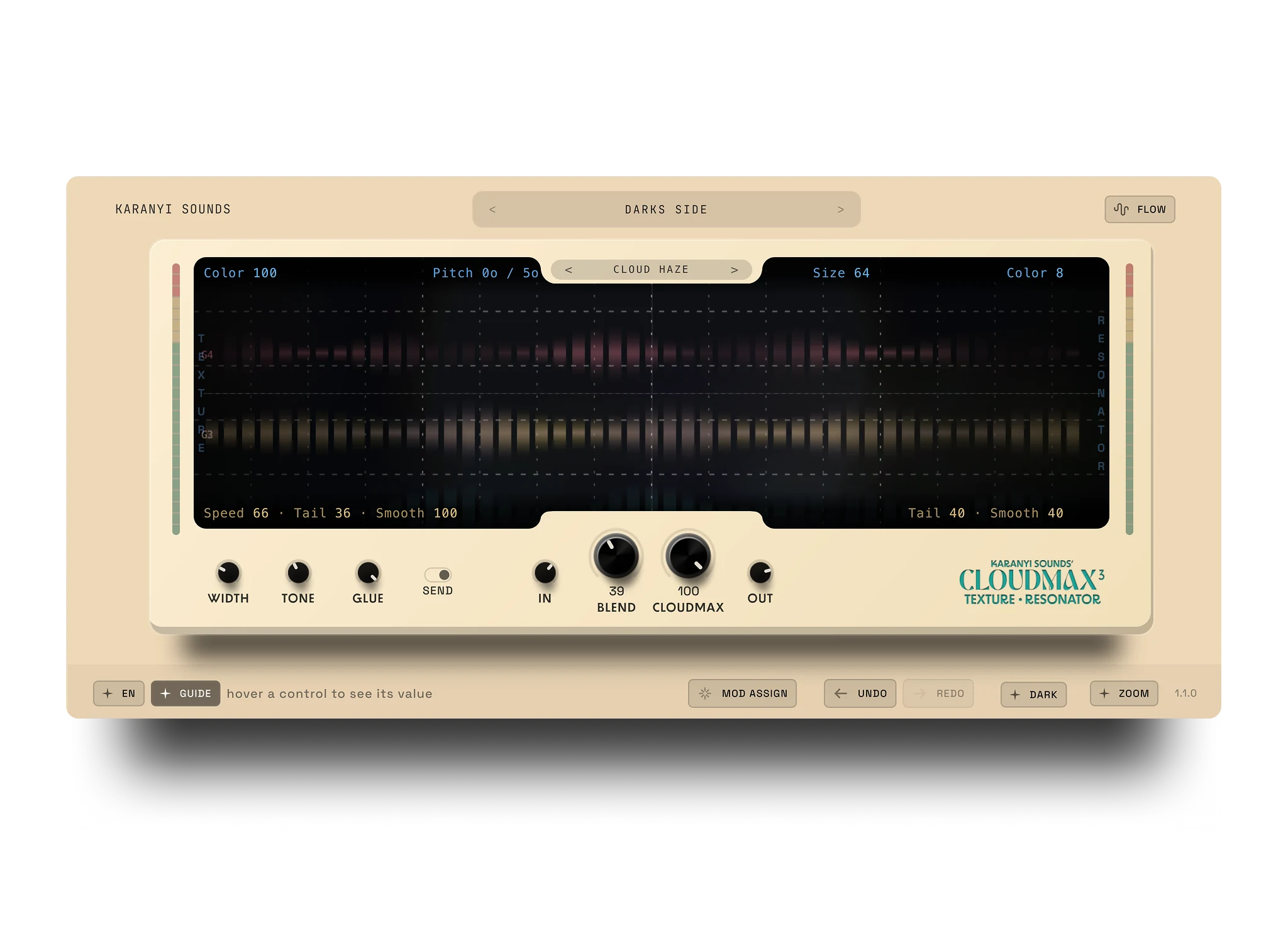
Worth a look here is Cloudmax 3, Karanyi Sounds’ granular delay and reverb plugin, positioned as “the original Texture Resonator.” It pairs granular processing with resonator-style tuning, which is what gives it a musical body underneath the texture instead of just noise. Chain a granulator into a reverb into an EQ and you usually get a stack of effects rather than one coherent response; folding granular and resonant tuning into a single signal path avoids that.
It is also built for more than ambient wash: Karanyi Sounds describes it as turning audio into rhythmic patterns, harmonic layers and musical textures, covering tempo-locked movement, harmonic stacking from a single note, and slow-evolving pads from one plugin. At $59, it covers delay, reverb and resonator territory that would otherwise take three plugins. For a wider comparison of granular reverb and delay options, see our guide to Valhalla alternatives for ambient reverb.
Other FX-side options worth knowing: Arturia’s Efx Fragments (3 modes: Classic, Texture and Rhythmic), MeldaProduction’s MGranularMB (up to 6 granular bands), and Output Portal.
How To Actually Use Granular In A Mix
The lifted vocal. Insert a granular FX after your vocal compression and EQ, dial the mix to around 15-25%, lean toward an ambient-style preset, and let it sit. The vocal stays intact but gains a halo of texture traditional reverb cannot produce.
The rhythmic ghost. Same setup, but a tempo-synced preset instead of an ambient one. Used at 10-15% on a held note in a bridge, it can do the work of a programmed delay throw without sounding like one.
The drum bus chemistry. Granular FX on a parallel send from the drum bus, heavily filtered to remove the kick, produces atmospheric percussion textures that sit underneath the dry drums without competing with them.
The Real Takeaway
Granular synthesis is not a genre and it is not a sound. It is a class of techniques for working with audio at a scale traditional tools cannot reach, and it feels niche mostly because the tools were academic for decades before becoming fast and cheap enough for normal sessions.
If you do not have a granular instrument, get one: playing notes from a sample opens up sound design no wavetable synth can match. If you do not have a granular FX you understand, that is the bigger gap, since almost every mix has a source that would benefit from it.
FAQ
What is granular synthesis in simple terms?
It is a way of building or processing sound by breaking audio into tiny grains, usually 1 to 100 milliseconds long, and controlling each grain’s pitch, length, density and position independently. That independence is what lets you stretch time without changing pitch, or the reverse.
What is the difference between a granular synthesizer and a granular effect?
A granular synthesizer loads a sample and plays it back as new notes from a MIDI keyboard, like any other instrument. A granular effect sits as an insert on a channel and granulates whatever audio is already playing through it, with no sample loading or MIDI involved.
What does grain size actually change?
Grain size controls the length of each fragment. Grains under about 20 milliseconds sound clicky and percussive because they are too brief to carry a clear pitch. Grains above 50-60 milliseconds start to sound like short loops rather than individual grains.
Is granular synthesis only good for ambient pads?
No. That is its most common use, but the same technique drives time-stretching, rhythmic stutter effects, harmonic stacking from a single note, and reverb tails that respond to the source material.
Do I need a granular instrument and a granular effect, or just one?
Most producers eventually want both, since they solve different problems: an instrument builds new sounds from samples, an effect transforms audio you have already recorded. If you only process existing tracks, start with a granular FX plugin like Cloudmax 3.
If you want to hear what granular processing can do to your own tracks, try Cloudmax 3.



Leave a comment
This site is protected by hCaptcha and the hCaptcha Privacy Policy and Terms of Service apply.